
55 reviews | Winnipeg’s #1 Rated IT & Cybersecurity Company
Home / Onsite business IT support
5 |
55 reviews

Onsite IT supportfor Winnipeg businesses.

Sytex helps Winnipeg businesses with computers, office networks and servers that need hands-on attention. We combine onsite visits with remote support and ongoing managed IT to keep your team working.
The free domain audit starts a managed IT conversation, not an onsite booking. For onsite support needs, call to discuss your business and location.
5
Google Rating · 55 reviews
3–5 min
Avg. response time
#1
Rated IT company in Winnipeg
10+ years
Serving Winnipeg businesses
Hands-on help for your office

Onsite help for computers, networks and servers.

We assess what has stopped working, what can be checked remotely and whether someone needs to visit your office.
01 / COMPUTERS & CONNECTIONS

Help your team get back to work.

Look at the equipment, connections and business task together, rather than treating every symptom as a separate repair.

Business computers & workstations

Help with the office desktops, laptops and connected equipment your staff use. We investigate the issue and discuss repair, replacement or configuration work.
Start with the interrupted task.
Tell us what the employee cannot do and whether other people or devices are affected.

Office networks & connectivity

When Wi-Fi, wired connections or network equipment interrupt work, we check the business network and identify whether an internet provider or another supplier needs to be involved.
Check where the problem starts.
One affected workstation and an office-wide outage call for different checks. Tell us which devices and applications still work.
02 / SERVERS & PLANNED WORK

Connect the visit to a wider plan.

Physical work should fit your operating hours, system dependencies and ongoing support arrangements.

Business servers & equipment

We assess server and network-device issues that require physical access. Before a disruptive change, we identify the affected users, applications and recovery arrangements.
Check the dependencies first.
Parts, warranties, specialist software and supplier access can affect the work.

Planned visits & equipment changes

Plan workstation changes, equipment checks and office IT improvements. We agree what needs to happen and how staff will check the setup afterwards.
Agree the work before the visit.
Confirm the scope and any equipment or project requirements in your support arrangement.
GOOGLE REVIEWS

Read what Winnipeg businesses say.

Explore Sytex’s Google reviews before choosing your IT support provider.

Remote or onsite? Choose what the task needs.

Remote and onsite support are ways to deliver help. Managed IT is the ongoing relationship that connects support with maintenance, planning and responsibility.

Onsite support

Hands-on help at your business

Best fit

Problems or planned changes that require access to office equipment and connections.

Access

Requires confirmed location, building access and an agreed visit arrangement.

Physical work

Lets a technician inspect equipment and carry out the agreed hands-on work.

Next step

Check the affected workflow and agree any remaining parts, supplier or follow-up work.

Managed IT

The continuing support relationship

Best fit

Businesses wanting ongoing responsibility for their users, systems and IT improvements.

Access

Covered systems, contacts and responsibilities are established in the support agreement.

Physical work

Connects onsite and remote support with the wider maintenance and protection plan.

Next step

Review recurring problems and changes as the business and its equipment evolve.

One connected support process

The right help for the next step.

Assess remotely

When the system is reachable

Visit onsite

When physical work is needed

Keep supporting

Through the ongoing IT plan
Our remote IT support guide explains what a remote session can do and where it stops. Enabling staff to work away from the office is a separate requirement covered by our remote desktop services.
Onsite support within managed IT

Local hands-on help. Ongoing responsibility.

Sytex focuses on suitable business accounts that want continuing IT support. Our managed IT services connect onsite visits and remote assistance with the wider care of your systems.

Your managed IT package

Office IT supported
One flat monthly fee
32 circle check
IT helpdesk
32 circle arrow right 2

A team to call when IT problems interrupt work.

32 circle check
24/7 monitoring & alerting
32 circle arrow right 2

Issues flagged early so your team can respond.

32 circle check
Cybersecurity & account protection
32 circle arrow right 2

Device protection, email filtering and stronger account security.

32 circle check
Microsoft 365 & cloud management
32 circle arrow right 2

Microsoft 365 licences, business email, shared files and user access.

32 circle check
Backup & disaster recovery
32 circle arrow right 2

Plan how to restore business data and systems after an interruption.

32 circle check
Vendor management
32 circle arrow right 2

ISP blaming your router? We own that call.

32 circle check
IT planning
32 circle arrow right 2

Planning for equipment, office moves and growth.

32 circle check
Password Manager
32 circle arrow right 2

Strong, unique passwords for every login, managed for you.

32 circle check
Advanced email filtering & impersonation protection
32 circle arrow right 2

Help reduce phishing and impersonation risks.

32 circle check
PDF Editor
32 circle arrow right 2

Edit, sign, and send PDFs without buying extra software.

32 circle check
On-site and Remote service
32 circle arrow right 2

Support for your team, on site and remotely.

Confirm the support scope for your business.

Your proposal confirms covered systems, visit arrangements and any equipment or project work charged separately. We review your location and current setup before quoting. Direct licence payments are accounted for in the package price.

How an onsite support visit works.

Start with the business impact, agree the work and check that the original problem is resolved.

Describe what has stopped

Tell us which business task is affected, how many people are impacted and when the issue started. We assess what can be checked remotely and whether physical access is needed.

Agree the visit and the work

Confirm the location, contact person, equipment access and a suitable work window. Agree any interruption and who can approve changes.

Check the result and follow up

Have the affected staff test the original task. Confirm what changed, any remaining work and who owns the next action. A temporary workaround needs a clear follow-up.

First response, arrival and resolution are different.
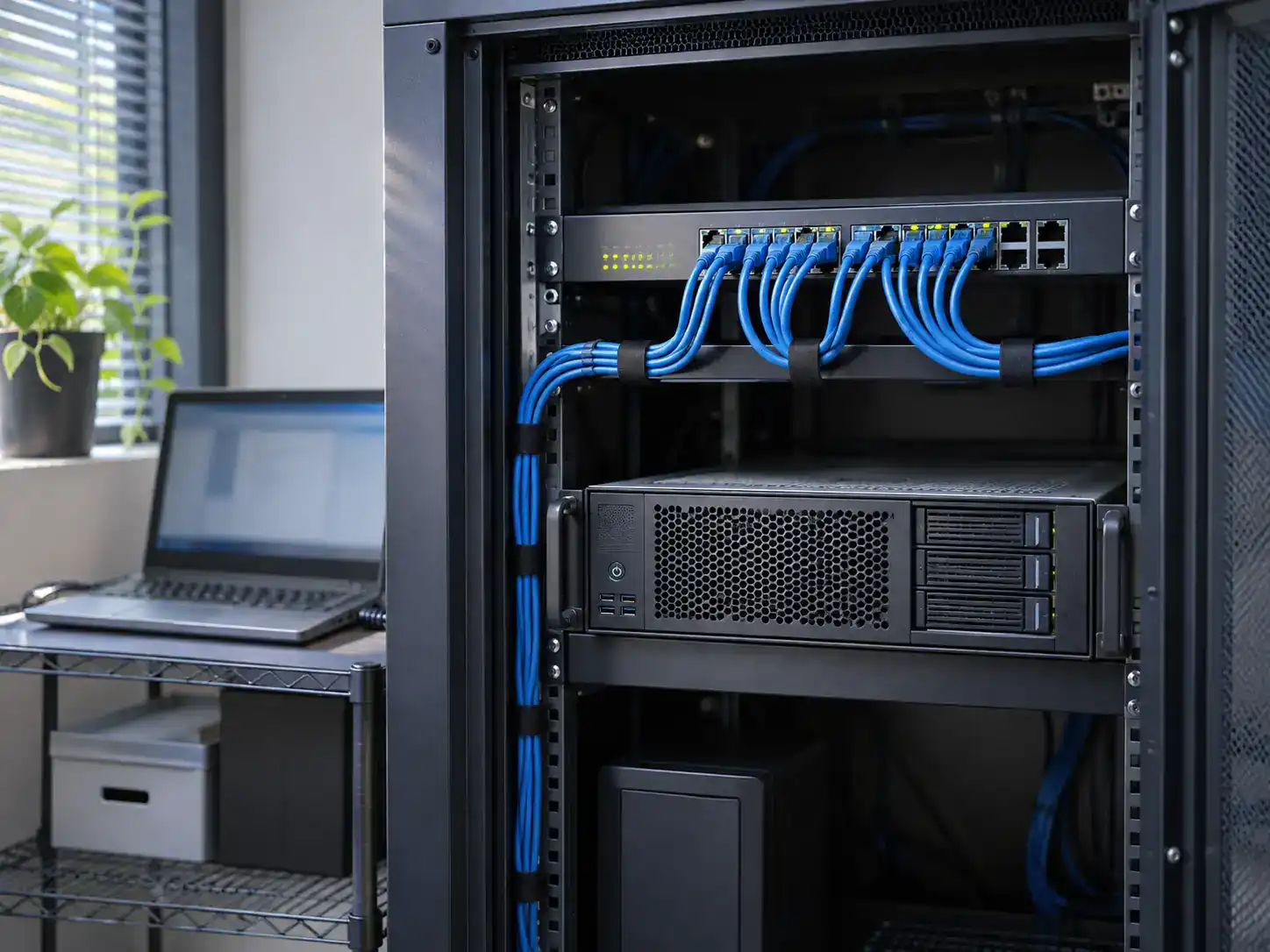
A first response starts the conversation or diagnosis. Onsite arrival and resolution depend on the issue, location, access, parts and your support agreement. We confirm the next step rather than promise the same arrival or repair time for every request.
Office network switch, server and diagnostic laptop illustrating onsite business IT support.

Make the visit easier to complete.

Prepare access, a short description of the problem and the people who can authorize and test the work.

Confirm access and approvals

Arrange access to the office and equipment. Identify who can approve changes and flag work that cannot be interrupted. Never send passwords or sensitive client documents through the enquiry form.

Bring the relevant information

Note when the issue occurs, who is affected and what recently changed. Have relevant supplier contacts and warranty information available.

Check recovery and responsibility

Before disruptive work, confirm recovery arrangements and any supplier responsibilities. Our backup and disaster recovery services cover the wider recovery plan.
ONSITE & REMOTE COVERAGE

Onsite around Winnipeg. Remote support farther afield.

Hands-on IT support for businesses in Winnipeg and surrounding communities, with remote support across Manitoba and Canada.

Remote-support locations across Manitoba include:

32 pin 3
Winnipeg
32 pin 3
Brandon
32 pin 3
Steinbach
32 pin 3
Winkler
32 pin 3
Portage la Prairie
32 pin 3
Thompson
32 pin 3
Selkirk
32 pin 3
Morden
32 pin 3
Dauphin
FAQ

Questions about onsite IT support.

Practical answers about business fit, coverage, timing and ongoing support.

When does a business need onsite IT support?

Onsite support is useful when a task needs physical access to a business computer, server, network device or connection. We assess remotely where possible and arrange a visit when the remaining work needs someone at the office.
Onsite and remote support are part of Sytex’s managed IT offering. Your proposal confirms the covered systems, visit arrangements and any equipment or project work charged separately. We focus on ongoing business support rather than one-off personal computer repairs.
Sytex provides onsite visits in Winnipeg and surrounding communities, generally within about 100 km. Confirm your address and visit arrangements with us. The wider Manitoba locations listed above refer to remote support, not guaranteed local onsite attendance.
Call to discuss your business need and support arrangements. We confirm the appropriate response and visit timing for the situation. A same-day arrival or completed repair is not guaranteed for every enquiry.
This service covers business systems in suitable ongoing support accounts. An employee’s work device may be included in the business agreement; household devices and personal accounts are not automatically covered.
No. The free domain audit starts a conversation about your business IT, domain and email setup. It is not an onsite appointment, full network inspection or emergency ticket. Existing clients should use their agreed support channel for active issues.
32 event confirm

Local onsite support, arranged for you.

We confirm the next step based on your issue, location and support agreement.

32 security

24/7 Monitoring. Always On.

Monitoring to catch issues early and help reduce downtime.

Takes about 20 minutes

Start your managed IT conversation with a free domain audit.

See where your business stands before deciding on ongoing IT support.

We look at your domain, your email setup, and who has access to what. You get a plain-English report of what we found, whether you work with us afterward or not.

No obligation. No pressure.

Or call us directly: (204) 894-7301

Takes about 20 minutes

Get a free domain audit. Most businesses are surprised by what we find.

No obligation. No pressure.

Or call us directly: (204) 894-7301